Everything you need to turn visitors into subscribers and buyers
Four games, a live editor, smart triggers, precise targeting, coupons straight from your store and the integrations your marketing already runs on. One app, every plan.
Live in minutes, measured from day one
Three steps from a blank campaign to opt-ins and sales on the dashboard. No developer required.
Install and enable
One click from the Shopify App Store, then switch on the CrazyRocket app embed in your theme editor. WooCommerce stores connect with their REST API keys.
Build the campaign
Pick a game and a template, add your discount codes as prizes, set the probabilities, brand the pop-up in the live preview and choose the sign-up fields.
Trigger, target, launch
Exit intent, timer, scroll or launch icon, on the pages and countries you choose. Connect your email platform and watch views, opt-ins and conversions roll in.
A game for every brand and every season
Each game comes with ready-made seasonal templates (below, this year's Halloween collection) and its own design settings, and all of them share the same rewards, triggers and targeting.
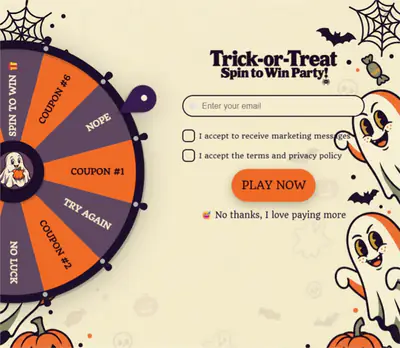
Spin Wheel
The classic spin-to-win. Each slice is a reward with its own label, probability and gravity; losing slices are optional.
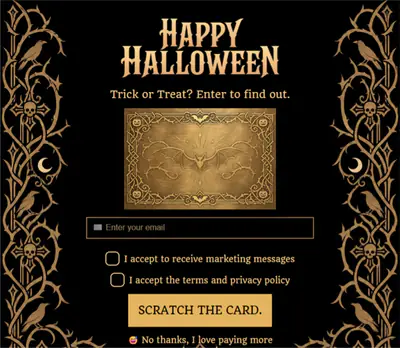
Scratch Card
A scratch-to-reveal card that works beautifully on mobile. Set the scratch label, the card design and the prizes underneath.
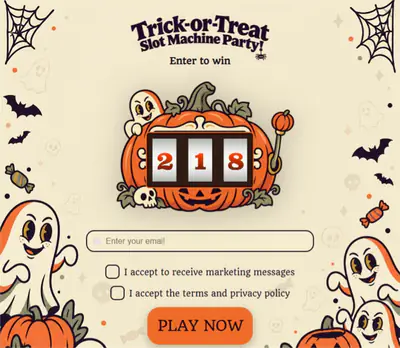
Slot Machine
Pull the lever and line up the symbols. You decide the winning combinations (777, 10%, free shipping...) and their odds.
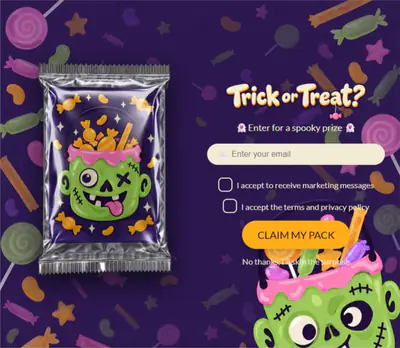
Mystery Pack New
Open a pack to reveal the prize. Built for collectibles, product drops and gift-with-purchase offers.
Your brand, pixel for pixel, with a live preview
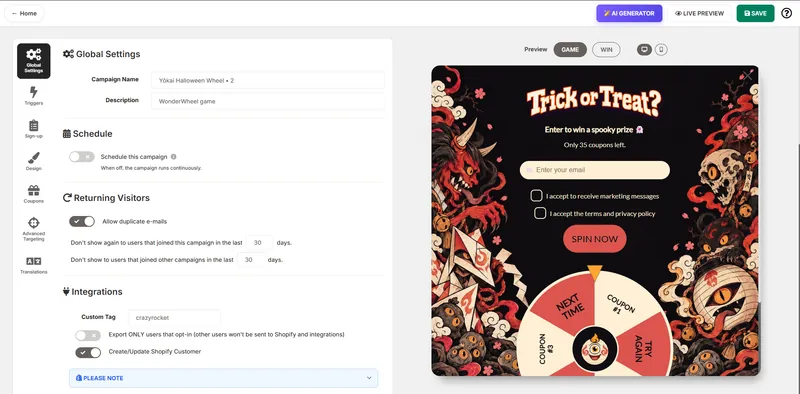
Everything you change on the left shows up on the right as you type. Start from a template or from scratch.
- Template library for all four games: gradients, luxury, Black Friday, Christmas, Halloween, Valentine's and more.
- Header, logo and background: your text, your logo position, a custom background image or color.
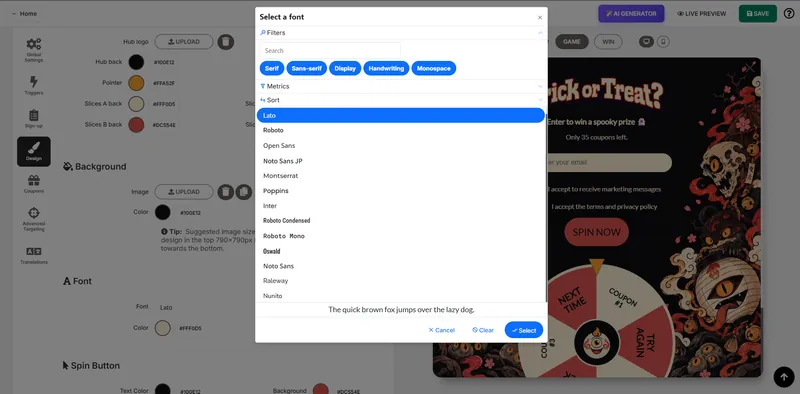
- Fonts from the Google Fonts catalog, plus the spin button colors and label.
- Reward card and countdown timer shown after the win to push the purchase.
- Widget CSS and page CSS for anything else, with a snippet library of ready-made effects.
- Desktop layout mode: pop-up, sidebar, notification or full screen.
- AI Design Generator and AI CSS Assistant: describe the design or the change, and the AI does the rest.
Example: a Black Friday wheel
- 10% OFF (probability 40) from the store's BF10 discount
- 20% OFF (probability 25) from BF20
- Free shipping (probability 20)
- Free gift (probability 5) with an "Add gift to cart" button in the win message
- Try again losing slices (probability 10)
Every winner gets a unique, single-use code on the Grow plan and above. The code is applied automatically at checkout.
Coupons from your store, odds you control
Prizes are the discount codes you already created on Shopify or WooCommerce, or a coupon the wizard creates for you.
- Reward type: a coupon, or an unlock code / URL for gated content.
- Reward mode: show the code immediately or send it by email.
- Per-reward probability and gravity, losing slices and a custom win message per prize.
- Automatic unique coupons: a fresh one-time code for every winner, no sharing, clean attribution.
- UI element builder: add an image, a "Shop now" button or an "Add gift to cart" button to the win message.
The right ask, at the right moment, to the right visitor
Three tabs of the editor decide what you collect, when the pop-up appears and who sees it.
Sign-up form
Email, name and phone fields, each required, optional or hidden. Opt-in checkbox with GDPR and privacy consent, instructions, disclaimer or terms, a scarcity counter ("only 35 coupons left") and your own spin and close labels.
Triggers
Exit intent, seconds on site, pages visited and scroll depth, with separate rules for desktop and mobile. A launch icon positioned per device (or your own icon), on-site notifications and a JavaScript trigger for custom buttons.
Advanced targeting
URL page filter to show or hide the campaign per page, country include and exclude lists, landing page query string and referrer rules, and a translation dictionary so every label speaks your visitors' language.
Schedule, integrate, protect and measure
From the first lead to the sales report, every piece is included on every plan.
Scheduling
Set a start and an end date for any campaign in your timezone, and get an email when it goes live or expires. Perfect for flash sales and seasonal promos.
Schedule a campaignA/B testing and returning visitors
Run several campaigns at once and let CrazyRocket rotate them. Group them in A/B test groups, and decide when a visitor who already joined should see a pop-up again.
How A/B testing worksEmail integrations
Klaviyo, Mailchimp, Omnisend, ActiveCampaign, Campaign Monitor, Brevo and MailerLite. Leads sync with a custom tag and merge fields for UTM, referrer, country and device.
Connect KlaviyoShopify Flow and Zapier
Trigger Shopify Flow workflows on every sign-up to tag customers and start loyalty or welcome flows, or send each lead to any app through a Zapier webhook.
Shopify Flow integrationAnti-cheat shield
IP rules, email rules and duplicate detection keep coupon hunters out. Google reCAPTCHA v2 blocks the bots, and email validation keeps your list clean.
Set up reCAPTCHAAnalytics and tracking
Views, opt-ins and conversion rate per campaign, filtered by date. Add your own conversion script or tracking pixels, and embed the campaign on any page with the embedding code.
Conversion scriptNative on Shopify, at home on WooCommerce

Shopify
Install from the App Store and enable the app embed. Prizes are your Shopify discount codes, the won coupon is applied automatically at checkout, unique codes are created through the Shopify API and Shopify Flow picks up every sign-up. Billing goes through your Shopify invoice.
Install on ShopifyWooCommerce
Create an account, paste your WooCommerce REST API keys and add the script to your WordPress theme. CrazyRocket creates the coupons on your store and tracks the orders through a webhook. Billing by credit card through Stripe.
Install on WooCommerceQuestions about the product
Does CrazyRocket work outside Shopify?
Yes. CrazyRocket is a Shopify app and also runs on WooCommerce, where it connects through the REST API and creates the coupons for you. Shopify stores get the native extras: discount codes from the store, coupon auto-apply at checkout, the theme app embed and Shopify Flow.
Can I use more than one game?
Yes. Every plan includes all four games, and you can run several campaigns at the same time: a spin wheel for new visitors and a scratch card for returning ones, or an A/B test between two games.
What is included in the free plan?
All four games, unlimited campaigns, the full design editor, exit intent, A/B testing, advanced targeting, reCAPTCHA and the anti-cheat shield, for up to 1,000 pop-up views a month. Paid plans raise the views, remove the branding and unlock unique coupons, tracking pixels and embedding. Compare them on the pricing page.
Will it slow down my store?
No. The script loads asynchronously after your theme, so it never blocks your pages from rendering.
See it running on your own store
Install the app for free, pick a template and launch your first spin-to-win campaign today.